SMS Verification
FosterHub SMS Opt-In Process
FosterHub sends transactional SMS alerts only to users who are logged into their FosterHub account, enter their phone number, and explicitly opt in. SMS alerts are available only for organizations with Premium access and are used for foster care operations such as urgent foster needs, medical alerts, transport needs, sitter requests, and emergency foster alerts. FosterHub does not send marketing or promotional SMS messages.
How users opt in
- User logs into their FosterHub account.
- User opens My Profile.
- User enters their mobile phone number under Emergency Alert Texts.
- User checks the SMS consent checkbox.
- User selects the alert categories they want to receive.
- User can opt out at any time by replying STOP.
Consent language shown to users
Opt-in screenshots
The screenshots below show the public proof of the FosterHub SMS opt-in flow. They must not contain real phone numbers, private user data, animal medical notes, or private organization information.
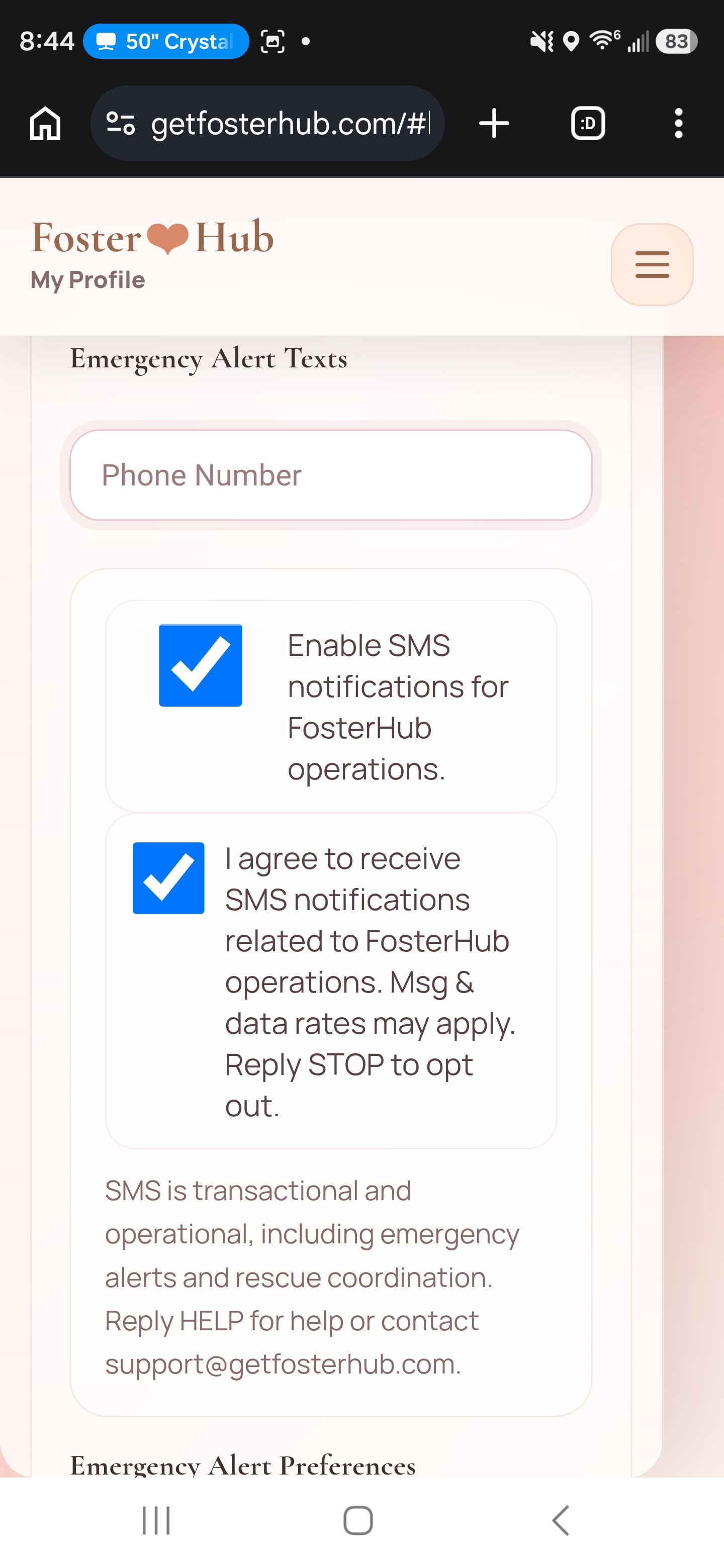
Emergency Alert Texts
Phone Number: (555) 010-0000
Enable SMS notifications for FosterHub operations.
I agree to receive emergency foster alerts by text message. Message and data rates may apply. Reply STOP to opt out.
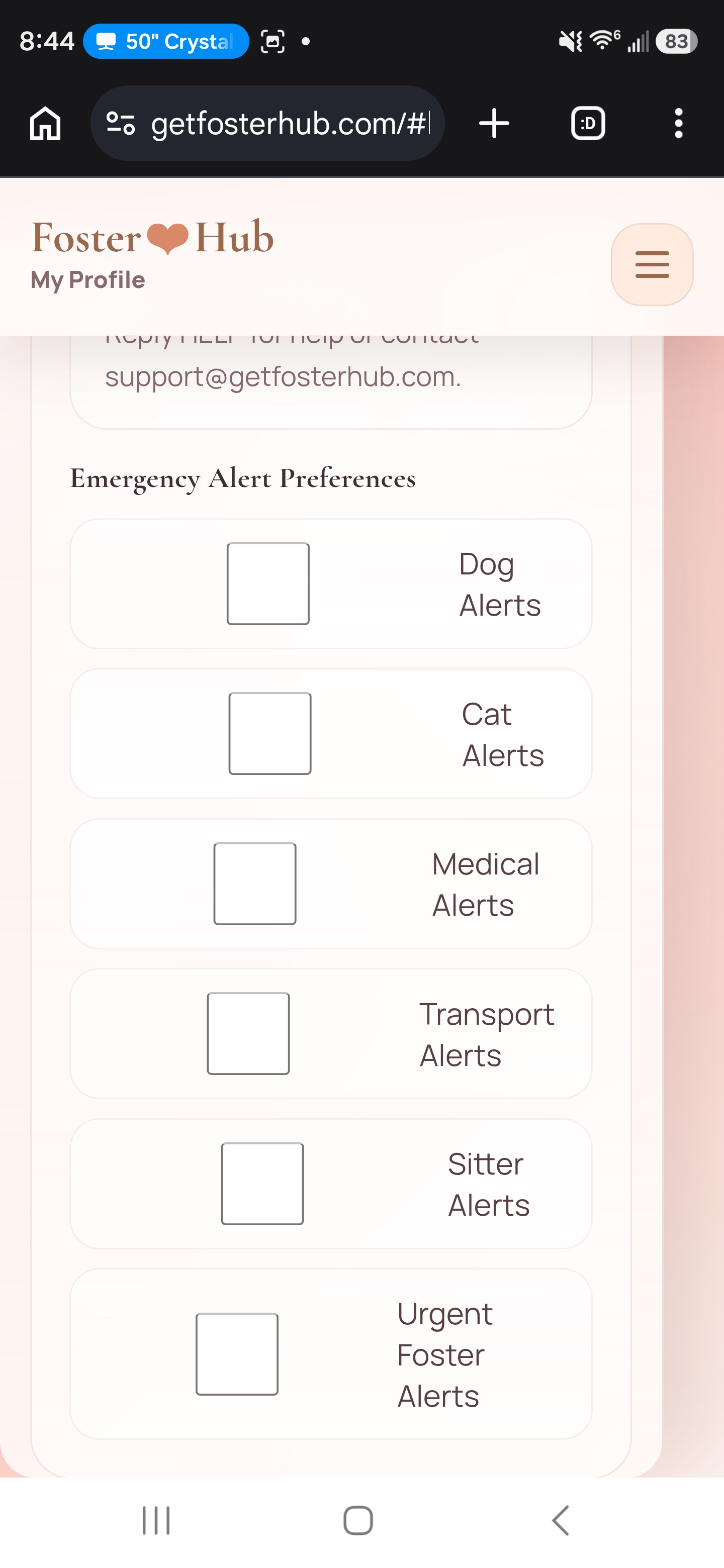
Emergency Alert Preferences
Dog Alerts
Cat Alerts
Medical Alerts
Transport Alerts
Sitter Alerts
Urgent Foster Alerts
Compliance notes
- Message frequency varies.
- Message and data rates may apply.
- Reply STOP to opt out.
- Reply HELP or contact support@getfosterhub.com for help.
- SMS consent is not sold, rented, or shared for marketing purposes.